Home and Hearth PressHome and Hearth Baker Try it free

Features

Everything a home bakery runs on

One program from the first batch to tax time: recipes and costs, labels, orders, market-day sales, bookkeeping and your state's rules.

Home and Hearth Baker: 1-minute tour–□✕
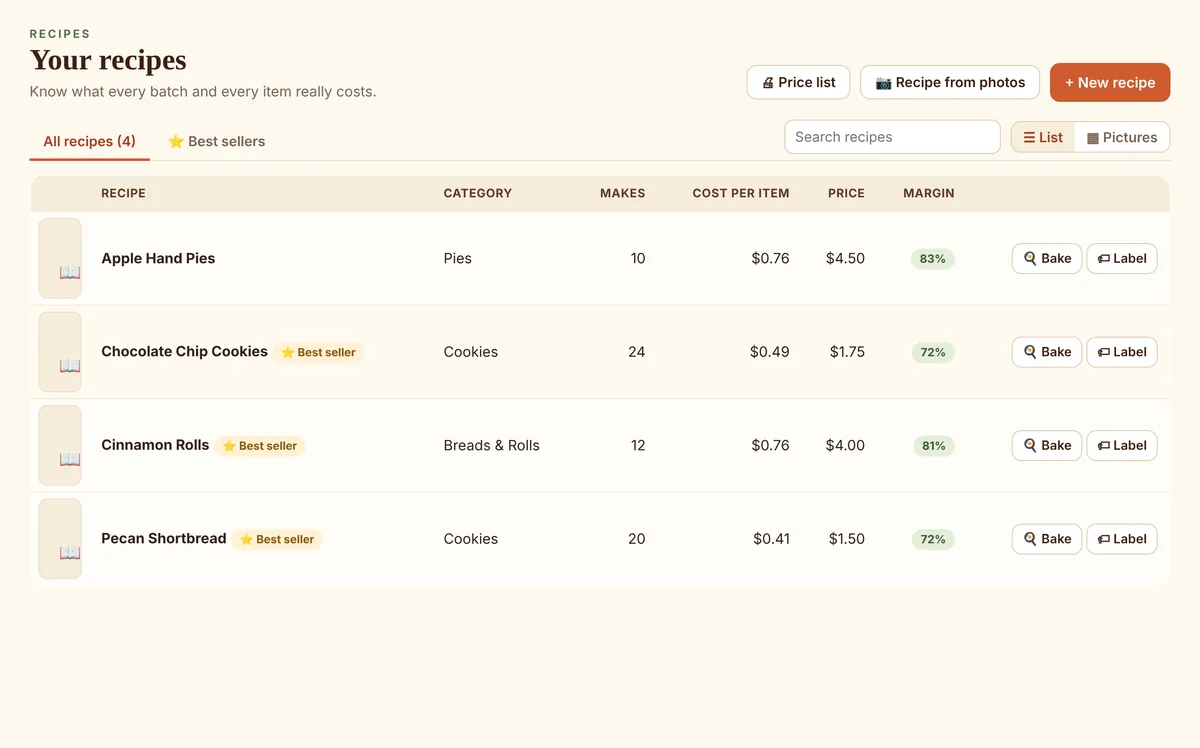
The recipe list with cost per item, price and margin for each recipe.

Know what every item costs

Ingredient prices from your Pantry, packaging, and package sizes like a dozen or a gift tin. See your margin and a suggested price that pays you for your time.

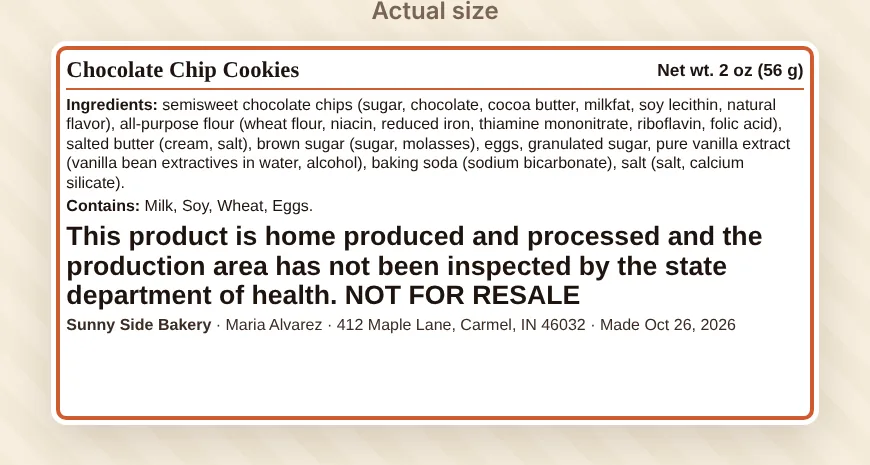
A product label for Chocolate Chip Cookies with ingredients by weight, allergens, net weight and the required statement.

Labels with your state's wording

Ingredients sorted by weight, allergens, net weight, your name and address, and your state's required statement in its required type size, for Avery sheets or a label printer.

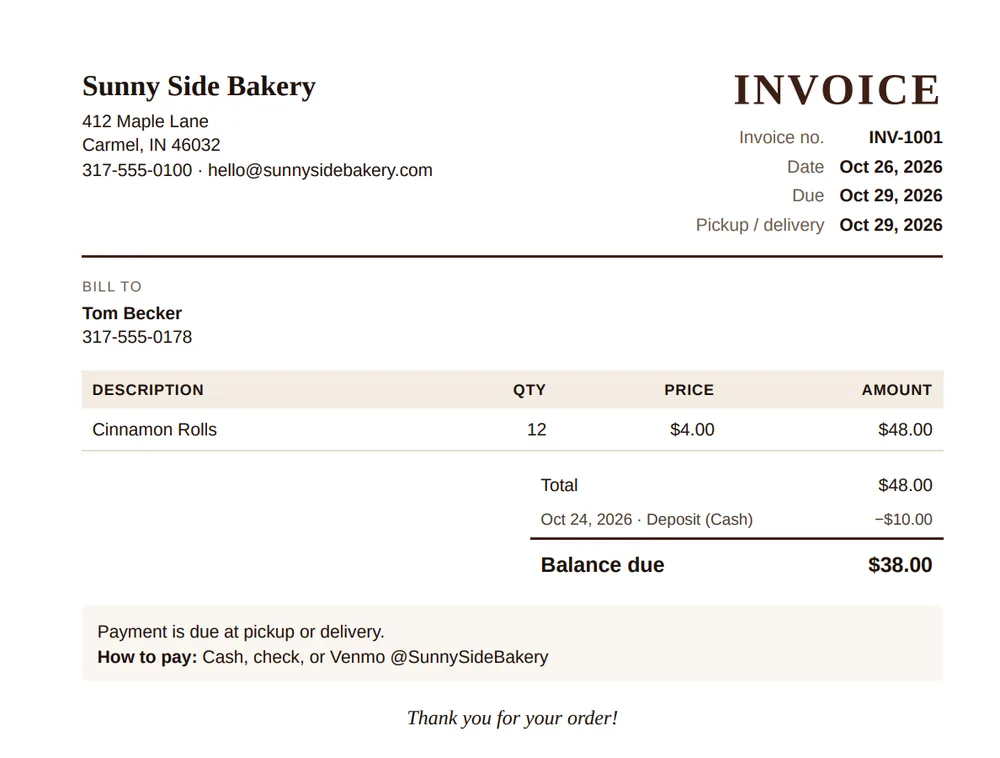
A printed invoice with the deposit paid and the balance due.

Orders, invoices and receipts

Take custom orders and deposits, get warned about a customer's allergies, then print or email a numbered invoice or receipt with your logo.

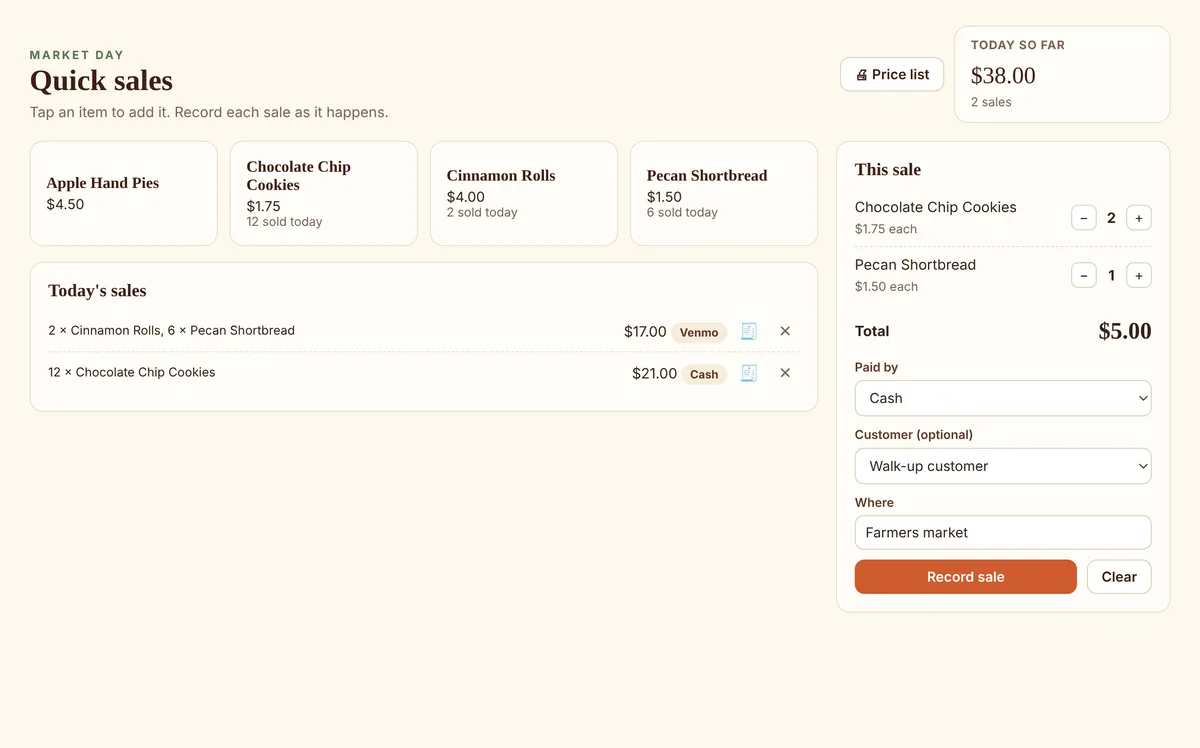
Market Day: a button for each item and package, the sale in progress and today's sales.

Market Day sales

One tap per item at the farmers market. Cash, card and Venmo, today's total, and a receipt when a customer wants one.

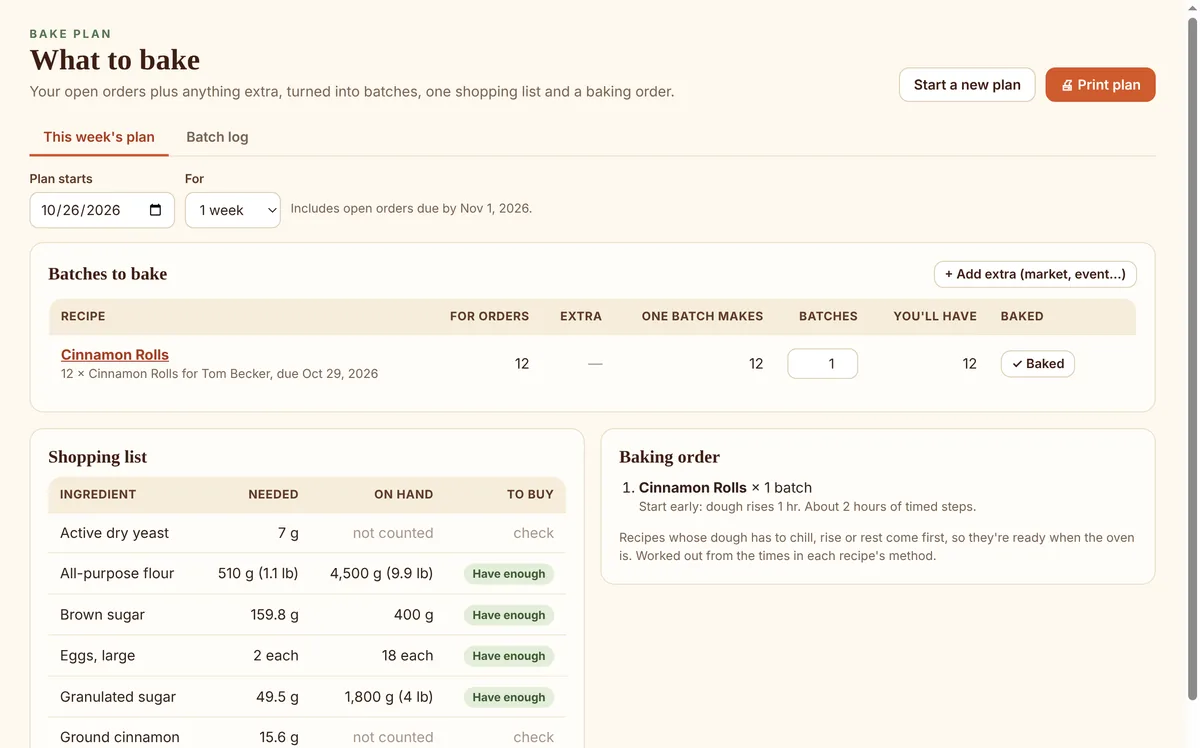
The Bake Plan: batches for open orders, a combined shopping list and a baking order.

Bake Plan and lot numbers

Turn the week's orders into batches, one shopping list and a baking order. Every batch gets a lot number, so a recall question has an answer.

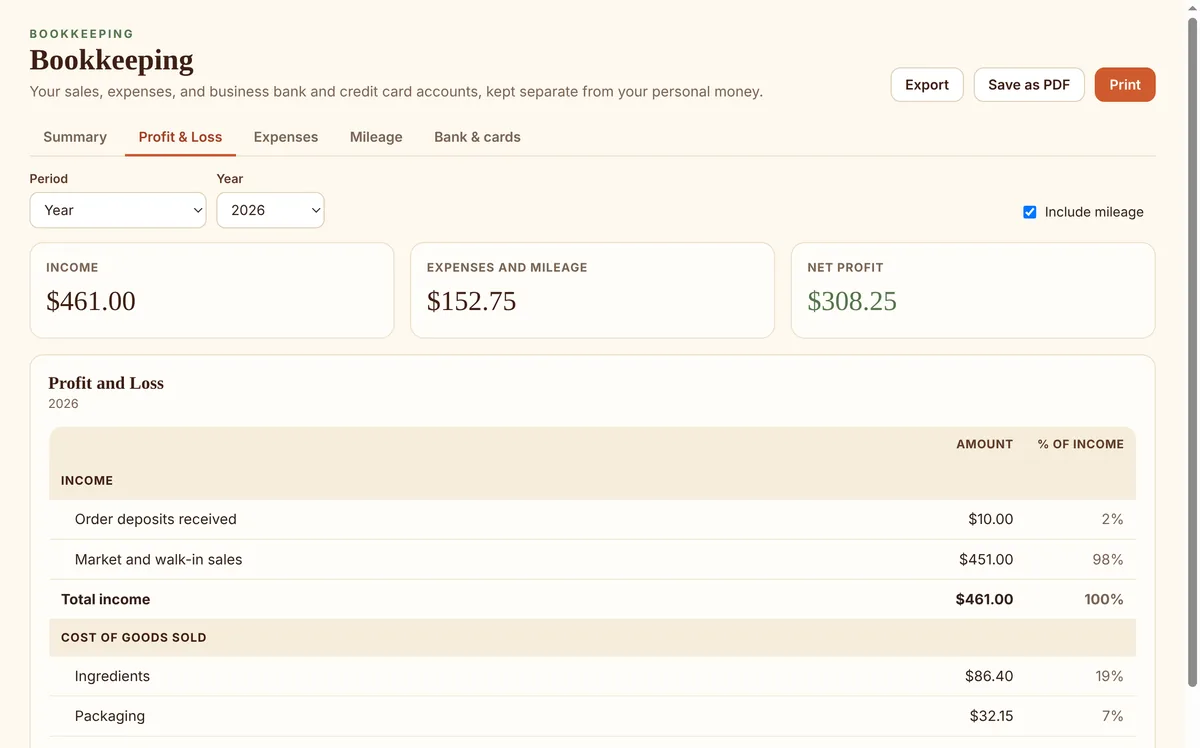
The Profit and Loss report: income, cost of goods sold, gross profit and expenses.

Bookkeeping, done as you go

Bank and card registers, loans, Profit and Loss, a balance sheet, mileage at the IRS rate, a self-employment tax estimate, and an export for your accountant.

Also included

  • Baking mode in large print, with tick-off steps and one-tap timers
  • Printable recipe checklists for a kitchen without a computer
  • Price lists and order forms to hand out or share
  • Customers with favorites, birthdays and allergy alerts
  • Pantry with low-stock reminders, shopping lists, and restocking from a receipt photo
  • Sales limit tracking against your state's yearly cap
  • A journal for ideas, recipe tests and market notes
  • A video library to bake along with your favorite tutorials
  • Automatic backups to OneDrive, Dropbox or a USB drive
  • Measure by volume or weight and scale any batch
  • Help and answers built in, with step-by-step topics and a FAQ

Recipe from photos

Take a picture of a recipe. It becomes a recipe in your program.

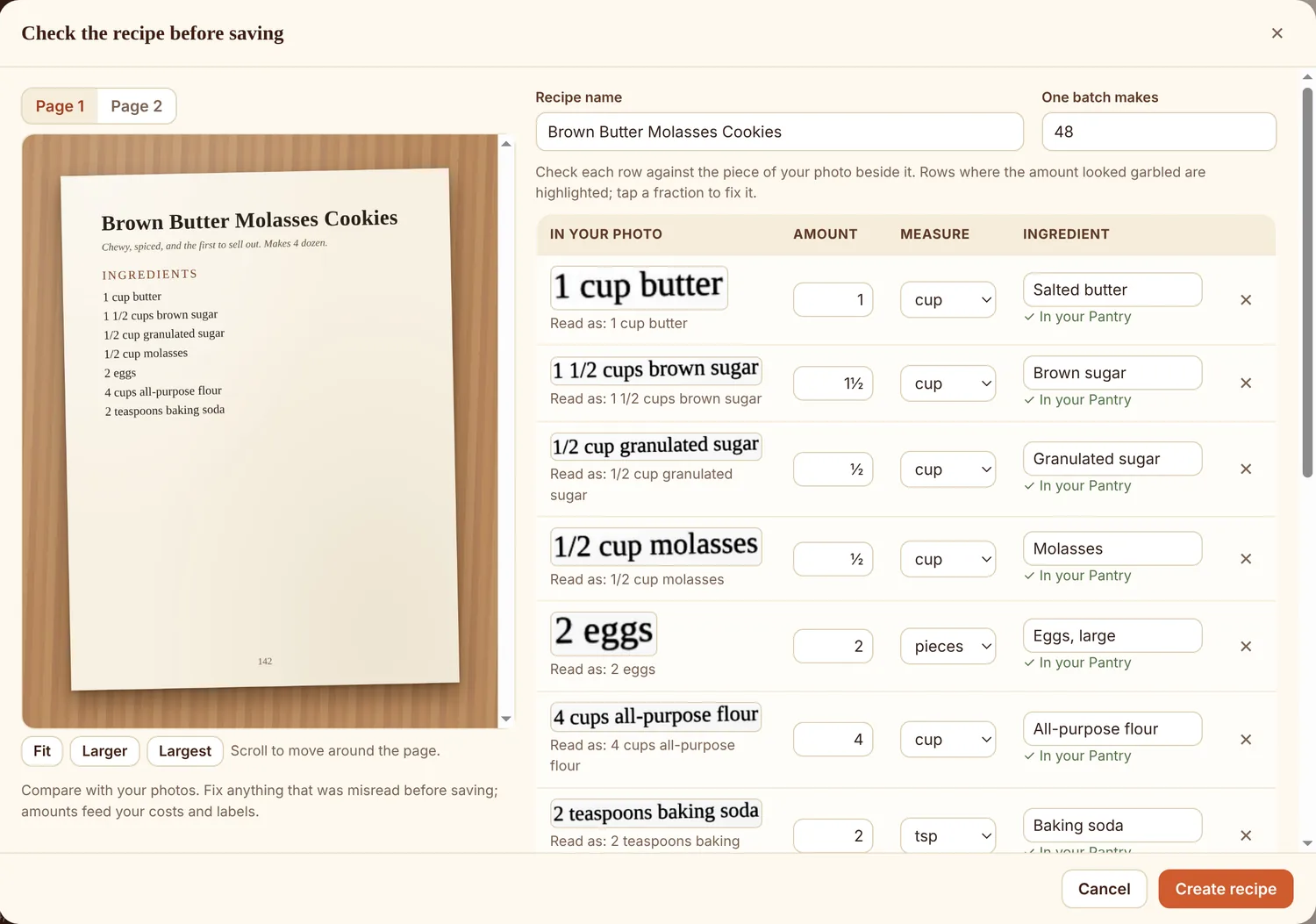
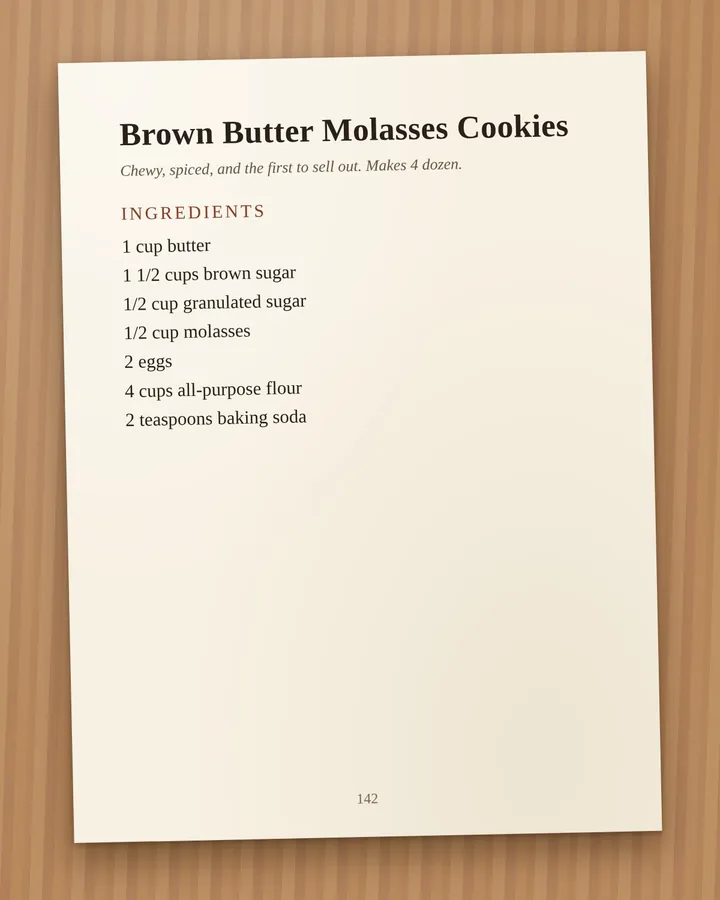
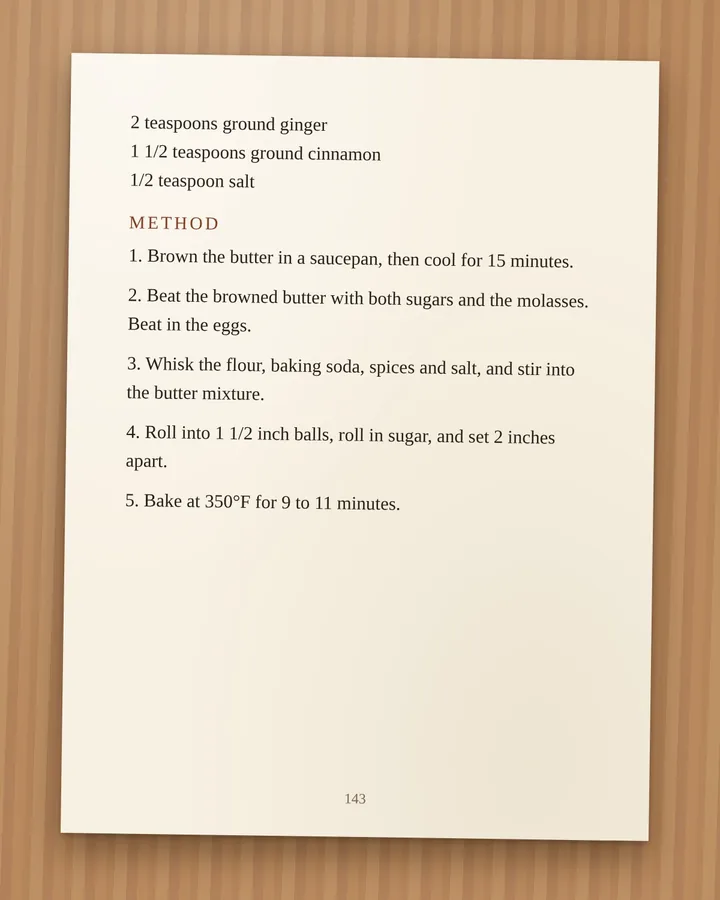
Photograph a cookbook page or a printed recipe card, and Home and Hearth Baker reads it for you: the name, how many it makes, every ingredient with its amount and measure, and the steps. A recipe that runs onto a second page comes out as one recipe.
Check the recipe before saving–□✕
The check screen: the cookbook photo on the left; on the right, each ingredient read from the photo with its amount and measure.
  1. Snap the page, send it to your computerTake a picture with your phone, then email it to yourself or use OneDrive, iCloud or Google Photos to get it onto your computer. A scan works too. Add one page or several.
  2. The program reads themEvery page is read on your computer and each ingredient is matched to your Pantry. Nothing is uploaded.
  3. You check it, then saveEach line sits beside the piece of the photo it came from, so a misread fraction is easy to spot.

Grandma's handwritten cards too. Handwriting can't be read reliably by a computer, so for handwritten cards your photos sit beside empty boxes and you type the recipe in. Or talk it in: Windows' voice typing works in every box.

Receipt from photo

Back from the store? Take a picture of the receipt.

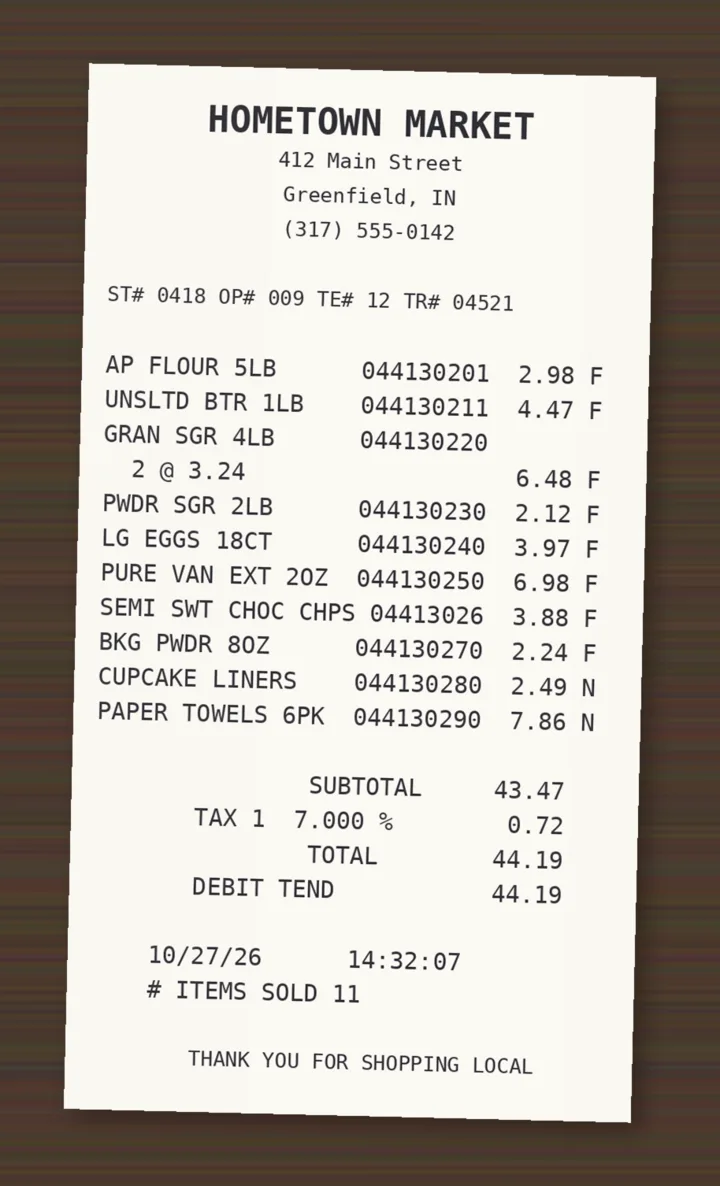
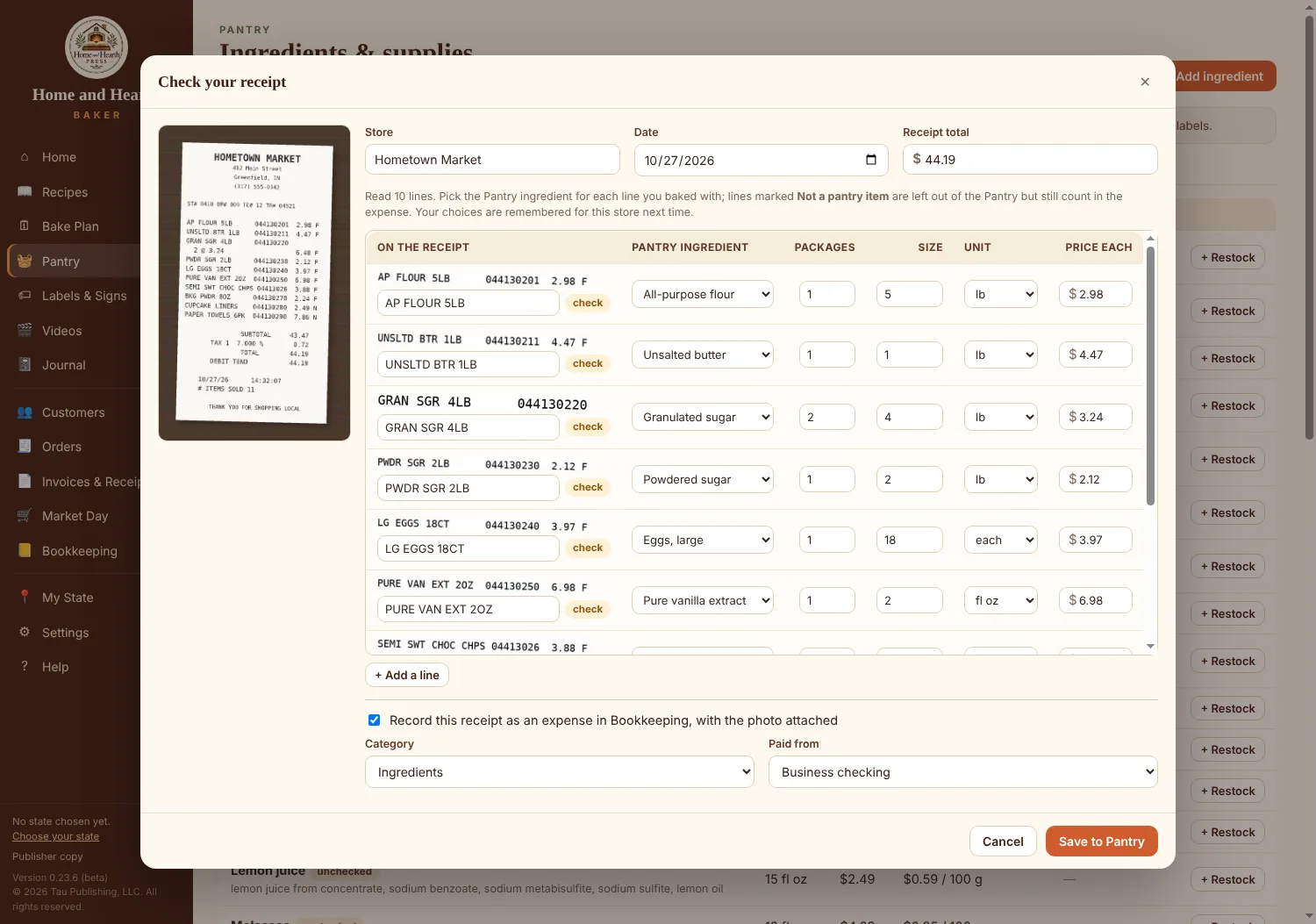
Home and Hearth Baker reads your grocery receipt and matches each line to your Pantry, even store shorthand like “UNSLTD BTR” and “BKG PWDR.” One click restocks what you bought, updates your package prices so every recipe's cost stays current, and records the expense in your books with the receipt attached.
Check your receipt–□✕
The receipt check screen: the receipt photo on the left; on the right, each line read from the receipt matched to a Pantry ingredient, with packages, size and price, and the expense to record.
  1. Snap the receipt, send it to your computerTake a picture with your phone, then email it to yourself or use OneDrive, iCloud or Google Photos to get it onto your computer. A scan works too. A long receipt can be two or three photos.
  2. Each line is matchedTo your Pantry, with packages, size and price. Paper towels and other non-baking items are set aside.
  3. Save onceThe Pantry is restocked, prices are updated, and the expense is in your books with the photo attached.

It learns your stores. Fix a match once and it's remembered for that store, so your regular shopping trip is matched for you next time. The receipt is read on your computer, never uploaded.

Your state's rules

All 50 states, built in

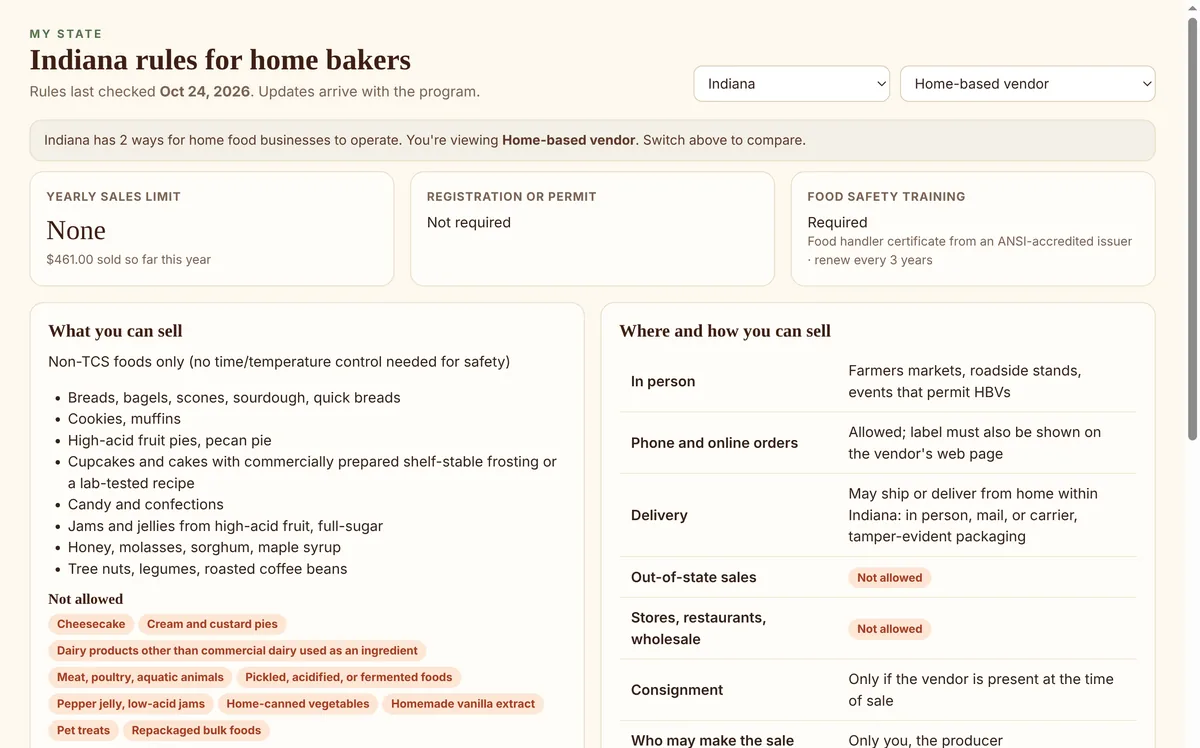
Choose your state once. Labels carry its required statement, the Home screen tracks any yearly sales limit, and rule changes arrive as free updates.
My State–□✕
The My State screen for Indiana.

Private by design

Your bakery's information stays on your computer

Most bakery apps keep your recipes and customers on their servers. Home and Hearth Baker keeps everything in one file on your own computer, and works with no internet at all.

  • No account, no cloudThere's nothing to sign up for and nothing stored online.
  • Online only when you askThe program connects only when you check for updates, and it sends nothing about you or your business.
  • Your family recipes stay yoursEven recipe and receipt photos are read on your computer, never uploaded.
  • Backups you controlSave copies to a USB drive or your own OneDrive or Dropbox folder, automatically if you like.

Try it free for 30 days

No card and no sign-up. Everything you enter during the trial is kept when you buy.

Get the free trialSee pricing

Join our mailing list

News about Home and Hearth Baker and the book, tips for home bakers, and word when your state changes its Cottage Food regulations. A few emails a year; unsubscribe anytime. More about the list
Email

Choose how you send email: